ad

Showing posts with label CLip Art. Show all posts

TpT Clipart Tribe Presents: Franken-Doodle-Stein Halloween Blog Hop


This past week, 12 INCREDIBLE artists from the TpT Clipart Tribe came together to create something absolutely amazing!! For the first time, we brought our skills and artistic styles together and each artist was allowed to add a unique piece to create our very own Franken{doodle}stein.

This project began with a simple discussion and turned into an amazing collaborative piece of art.  I can't tell you how proud I am to be a part of this incredibly talented bunch! Starting with the head as our driving force, each artist was allowed to add a piece of their choosing. Because each of us had complete control over what we added to the image, we were all so excited to see what each artist would come up with next as the image evolved. Let's all take a moment to celebrate and thank the creativity and styles of the artists who spend countless hours creating high resolution graphics to help and inspire you to create amazing teaching resources and crafts. Below you might discover some new artists as well as a few familiar ones that helped to put this entire project together. 

As you watch the transformation come alive, please take time to visit each of the artists' shops/blogs listed below. We all have put together a very special "treat" as a way to show how thankful we are for your continued support!! 

Not only will all of our TpT shops be discounted this week, but we also have some special treats for you to download from our individual TpT shops and/or blog posts linked below. Each piece of our Frankendoodlestein has been formatted by Sarah Pecorino in POSTER size for you to download, print, and assemble to display in your homes or classrooms this week (See the end of the post for directions and pictures of how to assemble a poster-sized Frankendoodlestein!!!

Now without further Adieu..... I present to you, our Frankendoodlestein!!

Click the image below to download the head and then hop on over to Sarah's blog to grab the next piece!!


This entire project came about through some fun discussion between several of us artists in the TpT Clipart Tribe group. I had this fantastic idea to do a collaborative Frankenstein and 11 other artists seemed to really like the idea, so we made it happen. That's what happens when people collaborate and support one another and I could not be more blessed to have so many creative friends to turn to for support and laugh with. We truly had so much fun with this project!!

I started out with a quick sketch in Photoshop, added my illustrative flair and then sent my piece off to the next amazing artist and watch what she would add. Here is my before sketch next to my finished art. I was originally going to go with a frown to make him grumpy, but later decided he needed to be a happy Franken-Doodle. The reason I did his head so large at the top was to leave room for text and create something special you all can use in your classrooms or at home with your kids to create some fun and spooky stories.

If you are interested in learning how to create your own clip art images, this is the last week to sign up for my self-paced video e-course - Clip Art 101: From Start to Finish at $75 off!!! Sign up before October 31st to get the discount and and join me this January as I take you on a journey to learn how to transform your sketches into unique digital art!! Click the link above to find out more about my video course!!  Scroll down to the end of this post to grab an extra fun freebie for you to enjoy! I hope you all have a happy and safe week!

PRINTING TIPS...
Here is a completed Poster-Sized Franken-Doodle-Stein all printed, cut and put together. I have to say that I would not recommend having small children cut this out as this was quite tedious, but it makes for a great window or door decor for your home or classroom. The finished size is 19 inches by about 19 inches. Not too big and not too small...

I decided to cut out the mad scientist machine first, since it prints on three pages. I ended up scrapping page 2 and re-printing it so I could leave a border on the top and bottom so that the image would fit seamlessly when glued together.  I printed all three pages and I left a little bit of a white border on the top and bottom of page three. Once finished cutting them out, pages 1 and 2 fit seamlessly on top of the second page using the extra bit of paper. I apologize for the image quality below.... I used my phone to take a quick photo and the lighting in my office was terrible... yikes.  Hopefully, you get the idea and I can save you a little time. 
You do not need to leave any white space on the other pieces because they all are created to overlap one another.  Just an FYI.... the piece with the arm and kitty are the most tedious to cut out... I highly suggest you begin with that piece so the remaining pieces seem easy..haha  

As an added bonus gift, my newest hand-painted digital papers will be FREE all week long!! Get them while they're free and please remember to leave feedback...
Click the image below to download these.

Hop on over to Sarah's blog to grab the next piece and enjoy an extra special treat she created just for you!!


TpT Vegas 2015 with The 3AM Teacher!!

What can I possibly say about my time in Vegas that hasn't already been said by everyone else? I am not even sure there are words to describe how amazing the trip was, but I will do my best to give you all a little peek into my crazy beautiful experience in Vegas...

Because I live in Arizona, I hitched a ride with two of my Arizona blogger buddies. Teresa Wilson from Confessions of a Teaching Junkieand Callie from Teach-A-Roo. These two ladies were a blast to hang out with and saved me from getting lost quite a few times. The photo below was taken the first night we arrived at dinner.

The drive up to Vegas seemed to go by really fast, but we did take a quick pit stop at a very interesting gas station along the way. Here is the picture I took of the welcome sign that brought us in... seriously, I can't make this stuff up!!
I can't say that filling the car up with Uranus Gas opened a window to the universe, but Teresa did manage to get hitched in Vegas..even before we arrived at the Plazza. Awe...aren't they cute??

While we were taking photos in various wooden cut-outs, Teresa happened to spot a large army truck behind a fence and decided that I should hike all around in my heels...on rocks... to jump on the truck so she could get a photo....I did... and I haven't seen the photo yet.. haha I think I will probably be thankful she didn;t post it once I do see it.

As soon as we all jumped (I climbed) back into the car, I took off my heels and realized that my freshly painted nails were completely melted off!!! Just in time for Vegas... I tried to hide my feet the remainder of the time I was there because I did not bring any nail polish for touch-ups and I did not have time to get a pedicure while I was there. I probably should not have hiked to the army truck to get a picture in the heat!! haha

As soon as we got to The Venetian, the realization that I was staying there by myself quickly began to sink in. I felt like a lost puppy at first. Teresa and Callie got a room together at the Palazzo, which was on the opposite end of the Venetian. As I was checking in my luggage at the entrance, I noticed a little person just like me with wavy hair and immediately shouted out, "Rachel!!" Now... we talk online A LOT and I thought for sure she would recognize who I was, but she had to check my name badge... haha... and then she responded with... "OH MY GOD!! The 3AM Teacher... Michelle!! I thought you'd be taller!!" Apparently, she was not the only one who thought I would be much taller in person...bwahaha!! I often wish I was taller in person as well!! After seeing Rachel Lynette, I didn't feel so lost and was glad to see a familiar face as we all walked in. She is such a sweetheart and I could not be happier that she was the first person I ran into as I arrived.

I had thought we would be able to walk up to our rooms together and all of the presenters would be on the same floor.... well, I was wrong...again. Rachel gave me a tip to get a complementary upgrade on my room, but I don't think I asked the right way because she got bumped up to a private tower section and I got the 28th floor...by myself!!!

Let me just say that I have NEVER stayed at the Venetian and I was in awe the entire time. From the customer service to the artwork -  everything was magnificent and fun to look at! However, it is such a ginormous place that I spent most of my time getting lost and trying NOT to get lost.  Immediately after parting ways with Rachel Lynette, I got turned around and had to walk quite a ways to get back to the elevators to my floor. I did have the map that they gave me, but it was NOT helpful at all!! I learned very quickly to just find someone and ask... and then keep asking along my route as to not get lost along the way..haha.  Even though I was a presenter, I had no clue what my room number was going to be until I actually arrived and checked in.

After about 20 minutes of hiking through the Venetian, I finally found my elevators and got to my room. I may or may not have fallen to the ground and kissed the floor once I finally opened the door to my room.

I was quite impressed with the room itself, but it was a little too quiet and lonely in there all by myself. I called down to the front desk to have them bring up my luggage and spent the time I waited admiring my room and trying to enjoy the view....

When I say "trying" I mean that I could not figure out how to open the white curtain covering the window...SO... to take the first photos of my view for my kids, I actually crawled in under it and pretended like I knew what I was doing. Later, when the helpful luggage guy arrived with my bags, I asked him how to open the curtains and he showed me the remote...laughing while he did... hahaha.. REAL FUNNY. He was actually amazingly sweet and helpful! Plus also... I tipped him really well just to make sure he didn't go downstairs and make fun of the guest who didn't know the curtains were controlled by a remote control. Who knew??

I absolutely LOVED my view of the pool and desperately wanted to immediately strip down into my swimsuit and head on over to the pool, except I had no idea where it was or how to get there and I was too afraid to get lost again... so, for the first couple of hours in Vegas... I snooped through my own room and unpacked my stuff.. BOR-RING!! I know....

Thursday and Friday went by like a flash and I can't even remember everyone I got a chance to chat with, but I have so many amazingly happy memories!!! I had the honor of leading three sessions my first year in Vegas:

1. Networking Session with Nikki from Melonheadz (YESSSS!!)

I actually got to spend a lot of time with Nikki and she is even more fun in person than online!! I just love her.

The networking session took place first thing in the morning on Thursday - the very first day of the conferences and I got lost on the way to the room. When I found the elevator, I scrambled to put myself together, bent over to fix my shoe, and when I got back up I accidentally flashed the elevator guy who worked there!! Obviously, I wore the dress that had NO security straps.. OOPSIES!! When I finally got to the designated Networking room for our group, I noticed that everyone had no clue who I was. I looked down and realized that I LOST my name badge somewhere along my journey to the conference rooms, probably in the elevator!! I think the employee must have saved it as a token, because I never did find it and it was never turned back in. I had to get a replacement, but I was okay..haha

One thing I have learned is that I need to post more pictures of myself before next year...although, I really did enjoy seeing people's reaction when I told them my name!! I don't think I will ever get used to being "famous", but I will certainly enjoy my little 10 seconds of fame while I can!! That was a humbling and fun experience!

This networking block was my absolute favorite because I got to talk with so many people.. and they all came to us (Nikki and I)!! haha... I got a chance to really answer important questions and I felt like I  got a chance to share some quality time with so many bloggers and TpT Sellers! I had an amazing time networking! I hope we get to do that again next year!! Nikki and I had so much fun chatting that neither one of us was writing any of the key info on the charts like we were supposed to... OOPSIES....again!! haha


On the second day of the conference, I did find Nikki (from Melonheadz) hiding by the women's bathroom on the conference floor, and she was sketching in order to try to wind down from all of the chaos. I just love her and wish I could have sat down and sketched with her!! NEXT TIME NIKKI!!

The reason I loved the networking block was because I felt that I really got a chance to share some valuable knowledge with a lot of people. I learned a great deal about what all of you want, think and question about topics related to design and clip art. This definitely helped me, and after I was settled in my room for bed on Thursday, I jotted down some key points that I can use as valuable topics for later posts right here on my blog...here are a few I am looking forward to working on...

1. What do you use to create clip art?
2. What platform should I use to blog with and why?
3. How much money could I make creating clip art?
4. I created something popular on Teachers Pay Teachers that is not really related to what I teach and now I feel like I need to start creating more products related to what I teach. Should I keep creating the thing that is popular or should I focus on what I can use more in my classroom?
4. How long does it take to create a clip art set? 
5. How do you keep everything (all of your files) organized?
6. How to you keep client info organized?
7. What programs do you use to create clip art?
8. Can I use an ipad or my phone to create clip art to sell?
9. How do you deal with custom work and keep up with your shop?
10. How did you learn how to create clip art and what made you start selling it?

Check in periodically, because my key takeaways will soon become a new blog post series and newsletter tip series in August. I had so much fun getting a chance to talk with all of you and if you were one of those people...reading this post now, then please let me know what session you attended and put your email, name and blog link in a comment below. I look forward to connecting with all of you! Just an FYI...I disabled comment links on my blog due to an increase in spam last year, but I will still be able to copy and paste the URL links. Please post the entire link to your blog and do not create hyperlinks in the comments below because they will not work. I chose to add some code to my blog that would disable hyperlinks in comments instead of adding that annoying captcha for all of you. I can't stand those! In fact, if you have them enabled on your blog, I am far less likely to comment.... just sayin'. That was a free tip for you!! haha

#2 From Sketch to Digital Masterpiece
I did my live session on Thursday and Friday and only ran into a few technical issues that I was able to tackle without too much of a fuss. On Thursday, the time for the sound check was listed incorrectly and the TpT Welcome message (which was AMAZING) went a little over time, so I was scrambling to my room to try and set up my computer as fast as I could. I truly feel so honored that so many people trusted my expertise and signed up for my session and I hope they all learned something from it! I wish I would have created a sign in page to pass around to collect emails and names of everyone who attended my sessions so I could send everyone a little thank you email and a gift, but I was so focused on making a good impression and getting everything ready that I neglected to plan for the little things. I also did not take ANY photos during the sessions!! I am such a goofball!! I was able to get a couple of pictures from Jillian (TpT) today, but I can't say that they are the best photos of me.. haha... Next time, I think I will have to remember to tip the professional photographer hired by TpT and make sure he gets my best angle and takes more than two photos. I must not have been that interesting... haha

The second day of my Sketch session, I was able to make it to the 6:30am sound check (yes... that is the correct time.. thank you TPT!!) and I got to spend a great deal of time getting to know Jared Cohen and Karen Liu from the TpT Team. I think I might have a geek crush on Jared.. he is brilliant!!

Right away I noticed that the room was set up differently and I no longer had the stage with a table, but now had a podium that was taller than I was and a tiny space to set up all of my equipment.... I must say that I was proud of myself because I handled that like a champ and grabbed a bouncy chair to stand on so everyone could see who was leading the session.. It was fun to be tall for a couple of hours!! I could get used to that!

Here is the one of the two pictures I have from my session. You can't see it, but I am standing on a chair... and I am still that short.

Why is there a larger chair behind me you ask? Well, that is the OTHER chair one of the staff found for me that was even taller, but I was too scared to stand on that one.

I do realize that I wore white cover-ups with ALL of my outfits in Vegas, which was only to hide the arm flab.... I was not wearing the same thing everyday.. promise..haha
All of the files from my session are available on my website, but only to those who attended. I will not be giving out the password to that page. I will, however, format all of the session files and add a few videos and make this workshop available to purchase from my online shops in just a couple of weeks... get ready everyone!!

Because my session was more of a live workshop and filled with content, I wasn't sure if anyone truly learned anything or whether or not it was helpful. Many people came up to me afterwards to tell me they got a lot from the workshop, which I really appreciated. In fact, after each of my sketch sessions I had a line of bloggers waiting to chat with me, snap a photo, or ask me a question! I felt like a little celebrity and I wish TpT had planned for more time between sessions to give us more of a chance to connect once they were finished. We were all quickly kicked out of the room and pushed to chat in the halls and I was trying to chat with people as I was forced to pack my bags...so to speak.. haha

If you attended my session, please add your name, email, and blog link in a comment below so that I can connect with you and get your thoughts. You know... because I DID NOT plan ahead and create a sign in sheet!! I continue to hit my forehead for not doing that!! I would love to read/hear your thoughts about what helped, what didn't help and how I could have improved it for you. On Friday's session, I was not able to use PowerPoint because the hookups in that room were a little different and my Cintiq Companion would drop out of display mode if I switched back and forth, so people who attended that one didn't get a chance to see my pictures during the introduction or any of the ones I had planned in the PowerPoint because I had to keep the screen on my Photoshop exercise file the entire time. Technical problems were a bit frustrating that second day, but I still had a lot of fun!! What is most important to me is that those who attended feel like they gained knowledge and were able to use the free resources I provided. I would really like to get invited back to lead a session or multiple sessions again next year because I really enjoyed doing that. I believe this is my calling... to combine my love of art with my love of teaching and do live workshops all over the country!!

#3 Thursday: Design Panel Back to back blocks (no potty break...BOO)

First, I have to say the being a part of the design panel felt like such an honor. I knew Nikki and Kimberly very well, but I did not know Blair or Julie as well and it was nice to get a chance to meet them and share our knowledge. We all got a chance to work on key topics individually and then bring those takeaways altogether during the panel. I actually had created a PowerPoint for my key takeaways, but due to time constraints, I was not able to use it. I did post it in my shop if you would like to download it and review what was included in my takeaways...

BONUS!! Click HERE to Download My Key Takeaways from the Design Panel Session!

I was literally so nervous, however, I was more focused on my need to run to the bathroom the second round of the design panel session... The first day, I lead sessions pretty much all day, so I had very little time for a break. After the Networking session, I got a chance to have lunch with Nikki from Melonheadz, Teresa from Confessions of a Teaching Junkie,  and Terri Izatt from Kinder Kapers!! What a fun bunch we were! We rushed to the conference rooms after a quick lunch and then I did not get another break until after the Design Panel Session and after chatting.. so around 6pm-sh.... I was a little wiggly by then... haha


The Design Panel Sessions were amazing and I had a lot of fun getting a more formal opportunity (compared to the networking session) to share my knowledge and answer questions. What a BLAST!!! I seriously want to do this sort of thing for a living... I need to get out more!

One answer given had my eyeballs a little crazy, so I wanted to make sure to share some important info about the following question addressed during the panel.

HOW DO YOU LEARN THE PROGRAMS YOU USE? 
Please do NOT.. and I will repeat myself again... DO NOT just Google how to use a program. That is, by far, the most ineffective way to properly learn to use any program.. whether it be Microsoft PowerPoint or Adobe Photoshop. Here are my thoughts and suggestions on that might be of help.

1. If you must conduct a Google search or "Google it", then PLEASE make sure the content you find is relevant and CURRENT. Programs change and update about every quarter.. that is about 4 times a year little things are added... you do NOT want to conduct a Google search on how to use a particular program because an old or irrelevant tutorial or video could cause you more frustration and make it more difficult for you to actually learn anything. Make sure that if you are doing a search, you conduct an advanced Google search and search by year as well as to use your operating system. PC directions often differ from Mac directions and if you swap them, you might find yourself wanting to take a hammer to your computer... even though it's not your computer's fault the content you found was not relevant.

2. Want to learn? Go directly to the manufacturer's website! For example, Adobe offers video tutorials and free tips from their experts. Who better to learn from than the people who created and tested these programs themselves? Many of the videos and tips are targeted for beginners, but if you are just learning a program... this will be helpful to you.

3. What programs you choose to use will greatly depend on what you need to create. Adobe Photoshop is designed for photo editing and the new design and updates makes it the perfect program for artists to get a natural style drawing and painting technique in digital art. Microsoft Word is designed for text and research papers.. it would not be ideal for creating digital products or clip art. Do your research and learn the programs before you begin creating something to sell. Remember, selling a digital product makes you a business person and you must prepare yourself before opening up shop and selling products.

4. Any new program you begin to learn will be a process and it will take time and commitment. Enjoy the journey of becoming an expert. Make sure to keep your programs up to date with the latest updates and upgrades. This will always give you an edge over other sellers and it will help you stay relevant and current yourselves. ---Very important if you plan on running an online business.

Final thoughts...
Never just blindly Google something important and ALWAYS continue learning new programs. Don't get stuck in a rut using outdated programs because you know them and are used to them... the new ones will save you time and make it easier for you to do so much more with your products! NEVER say NEVER [unless you are told to learn something new by Googling it] and NEVER stop learning and growing! That is my expert advice to all of you!! AND... it was free... you're welcome! 

Thursday and Friday seemed to whiz by! I screamed with excitement, got lost, laughed, got lost, cried, got lost, was inspired, got lost, inspired others, got lost, hugged, got lost, ate great food, got lost, met so many new bloggers and sellers, and finally... got lost!! I really hope I get invited to lead next year because this entire experience changed me forever and for the better!! The Vegas experience was crazy beautiful!! I arrived on Tuesday and left on Saturday and wished I could have stayed longer... I seriously did not want to leave!!!

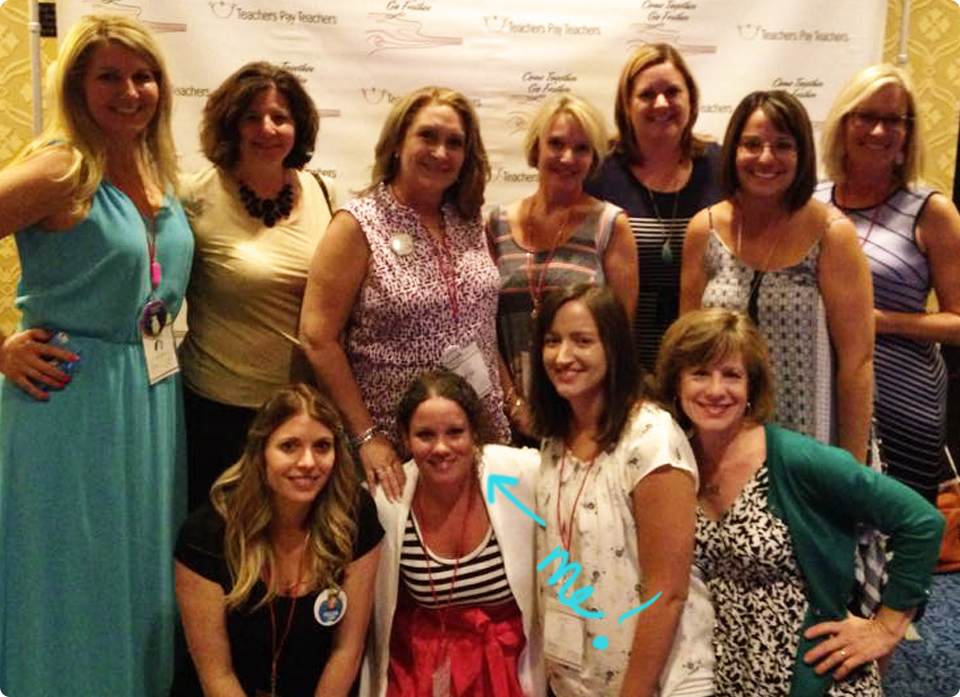
Below is the Presenter Photo taken at the end of the day on Thursday (after the sessions).. remember.. I had to go pee really badly, but I didn't want to miss anything!! I got to stand right next to Amy...almost smack in the middle... Where's The 3am Teacher? haha  I could have never dreamed that I would be presenting with so many women and men I admire when I first began my TpT Journey, but I am so glad I did!! You can too!! Just click the image below to begin your very own TpT journey... the first step is opening a shop. I hope to hear all about your journey and watch where it takes you in the future!!
I just have to say that the Keynote was so inspiring!! Rachel Lynette had me in tears. I have known her for a while and I always knew she was amazing, but never knew her background story!! INCREDIBLE!! There was never a dull moment during the trip... unless I was sitting in my room at night.. by myself... wishing a crowd of TpT'ers would crash my room and stay up all night chatting in jammies.. I am putting that on a planned sign up for next year!!

Funny story: Well, Rachel Lynette always has the best advice and one thing she did tell me before we parted ways to our rooms was to NOT touch anything in the fridge because the items are on top of a sensor and if I move anything, I will be charged for it. Luckily, I had an upgraded room and my fridge did have a little shelf that I could place my Diet Red Bulls on to keep them cold. I have one in the morning.. don't judge me.. it's my coffee because I don't like coffee. Then, anyone I talked to about my room also warned me about the fridge and high prices.

Well.... leave it to me to NOT grab a few waters from Teresa before heading to The Venetian side. I didn't want to follow them back to the Palazzo side because I was tired of getting lost that first day and I really wanted to take off my shoes.. haha I thought I had a water bottle in my room, but when I got there, none was to be found. The more I thought about NOT having a water, the more thirsty I became. My throat began to feel scratchy and the "no touch" waters were beginning to shimmer with light. I opened the fridge and wondered if I should or should not pay $6 for 12.5 ounces of water and the more I thought about it, the more I justified the cost! I'm thirsty - that's all that really mattered... Sure, I could drink a diet red bull, but that is not water and I want water! I COULD walk down the hall to the ice machine and wait for the ice to melt in the bucket and then drink that... but I was thirsty NOW!!

I slowly and VERY carefully opened the door to the fridge.. as though the sensor would go off with even the slightest touch... read the warning label...ignored the warning label about charges... and opened the door... remember, I was VERY thirsty. I might as well have been in the Sahara desert and the fridge a small spring I had just discovered...
I looked at the Fiji water...sort of cold, but oh-so tempting and REMOVED it gently from the shelf. I felt a sense of doing something very naughty as I took that water from the "no-no" fridge of high priced doom. There was no light or laser or noise... nothing that would indicate I was being secretly charged $6 as I had expected. It was as if it never happened and I liked it!! 
I set the water on the fancy dresser thingy and snapped a photo... as I was going to remember this moment forever.  After the photo, I opened that bottle and I drank that water til there was nothing left I tell you!! Not even a drop!! That was the BEST 6-dollar water I have ever had in my entire life!! So... I took another one to put beside my bed and drink later... YES, I spent $12 on 2 bottled waters - but what happens in Vegas.... you know the saying.
When I checked out, the guy looked at me funny as he was printing my reciept, as if I had done something really bad. His demeanor got very serious-like and he said (in his grown-up manly voice),

"Now... there were some things charged to your room..." then his eyes looked at me while his head was still looking down at his computer screen. What makes this even worse was that I am only 5 ft tall and the counter top for checking out is about the same height, so I had to stand on my tippy toes, looking high up (because for some reason it seemed he had a stage back there and was extra tall on his side). My eyes got wide and I finished his question with a wave of my hand and said, YES... I drank those two waters, sir... and they were D-E-L-I-C-I-O-U-S!! I will gladly pay the $12 I owe for those.

I assume that by the way he approached the "situation", that most people act surprised and try to get their waters for free!! I owned up to my shenanigans and proudly showed him the second Fiji water bottle I placed in my purse...because I had left-over holy water from Vegas and I was keeping it!!

Here are some more snapshot memories...

Arizona Bloggers...

I snapped this selfie for my kids after the first day I arrived and I had been lost, sweaty and hiking through the hotel. The first thing I did was take off the cover-up that was hiding my arm flab and tried to stay away from the high-powered magnifying "beauty" mirror... because nothing looks beautiful that close up!! GAH!! I could've spent hours or even days plucking small hairs I never knew existed.
H-E-L-L-O Handsome Paul!! What an incredible guy and so much more quiet in person than I had imagined him to be... and yes.. that is the dress that gave the elevator guy a peep show... the entire rest of that day I was checking so much that people probably thought I loved my boobs a little too much. I did get a chance to sit and goof off a little with Paul and Deanna jump before some of the sessions were out the last day. It was the best quiet moment ever and I wish I would have taken a photo!! I just don;t think of taking photos when I am excited about seeing the people I talk to and love in person!! Deanna will have to wait until next year to get a photo with me...hahaha Deanna, if you are reading this, please give your mom a GIANT hug and kiss for watching out for me and reading my Facebook feed the first day I arrived! You and your mom made me feel very loved by making sure I wasn't completely alone!!  I feel like a total loser for not getting a photo of us to cherish... next time! How did that not happen!!??
 Black and white for a dramatic flair to the selfie... 
Our handsome Gondola Guy!!! If you go the The Venetian, take an opportunity ride the Gondola... that was so much fun!
Breakfast on Wednesday with some of the funniest women I now know in person!! What a blast! I have no idea why my arm looks like a raptor arm. I promise, my arms are a normal length. I was trying to get my head in the shot while, at the same time, trying not to overwhelm Teresa's head with my hair... 
There are no words to describe how yummy this dish was from the Yardbird Restaurant. This was the Iceberg Salad and I LOVED it!! I did not like the shrimp, which was an add-on I didn't need anyway.
Beautiful Teresa at lunch!! I just love her!! We ordered the same thing... The reason I ordered it was because a lady sitting by herself right next to us had it when we sat down and it looked so yummy that I didn't even need to look at the menu.. I wanted what she was having!!


A little treasure I found in an Arizona gas station on the way home in the middle of nowhere!!
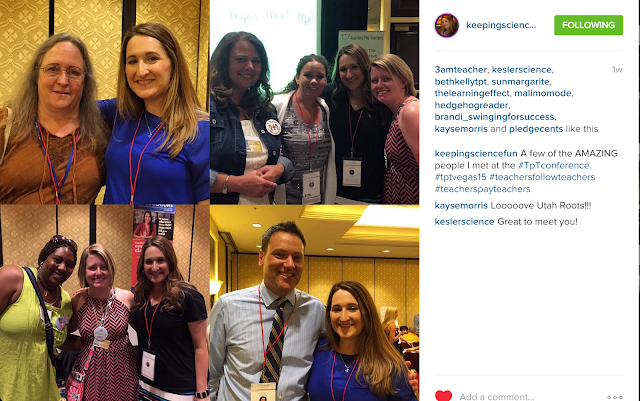
Pictures from awesome bloggers who attended my sessions and shared photos on social media who I think you all should check out and follow!! Thank you so much to all of you for coming and to those of you who took photos!! You all rock!!  If you shared a photo that is not included below, please include your link in the comments below and I will make sure to add your image and link to the list below..Thank you! It took me a while to find just the ones below because I waited so long to snag them, so I only added a few. I know there are many, many more.. I should know.. I posed for a LOT of pictures!!

#1 Friday Session :From Sketch to Digital Masterpiece
This was me rockin' my session while standing on a chair because the podium was taller than I was... haha!! I am so thankful to Kady Dupre from Teacher Trap for taking this photo and posting it!! Even Jillian could only find one that the professional TpT hired had taken and it did not reveal the chair I was standing on... YES PEOPLE... I AM SHORT-FEET tall...

#2 Friday Night: Closing Remarks and Happy Hour!
Thank you Tamra from Keeping Science Fun for posting this!

#3 Drinks and fun with some fabulous ladies!!
Thank you to the woman with the sweetest voice ever, Pamela, from Hedge Hog Reader for sharing this photo!! I am in the very back left corner in the black and white dress with the psycho lighted eyes... haha

#4 Thursday: Design Panel Session Photo-Op
Thank you Angelia from Extra Special Teaching for taking this photo! I am so glad I got a chance to meet you in person because I really enjoyed working with you on your blog design! You Rock!

#5 Thursday: Networking Session
Thank you Inside Bell's Brain for taking this photo, sending it to me and totally making my day! I had so much fun talking with you! Please ignore the hot mess that is my hair!! It was hot and my hair was on the fritz in Vegas from all of the running around... 

Thank you to everyone who emailed or messaged me a photo you took!! I have so many more memories to cherish now... 

That was the overview of my time in Vegas and I hope you enjoyed reading through the chaos! I had so much fun meeting everyone and I will definitely take more pictures next year and be more prepared!! Remember, if you took any of my sessions, please let me know what session you attended and include your email and blog url link in a comment below. I would love to send you a thank you and get your thoughts!! 

I feel truly charged and ready to rock the rest of 2015!! Thank you so very much for believing in me!!  


One Day March Madness Sale!!


And I promise that this is not an early April Fool's Day trick!! All of my regular and discounted clip art sets, planners, and resources will be marked down 15% ALL DAY LONG!!  I am only marking down my TPT shop because I am revamping my website and my Etsy shop does not have all of my products listed right now...However, TpT is AH-MAZING!!!  Happy shopping everyone and I hope finally get to purchase the goodies on your wishlists..


CLICK THE IMAGE ABOVE TO VISIT MY TPT SHOP.

Flash 30% Off at my Etsy Shop...

I know all of you clipart addicts will just love this!!!

Click the image above or click the link below to visit my Etsy shop before Flash Thirty is Gone!!


Come back and visit all week for a fun trail of Presents to open!!!!
Thank you so much for your love & Support!!!

A Shoplet Review & A Colorful Freebie!!


I have recently had an opportunity to  test out some new Smead products from Shoplet- a great online depot to get office supplies!! Shoplet also provides great promotional products that are great for small businesses!!

I received three Smead products to try out:

1. Smead SuperTab Heavyweight Folder

How to Build a Product for Teachers Pay Teachers: The Etiquette of Using Clipart and Fonts for Free and Paid Products on TpT


We live in an age of diversity and the ability to access millions of images, graphics, fonts, and other forms of digital art with a click of a button. With the rise of mass marketing and our digital relationships, finding free downloadable clipart, photos, and fonts is far easier than it used to be.

As a former teacher, I know how much has changed since I was in the classroom only a couple of years ago. There once was a time when we had to hunt people down to find something we needed, but now, we can sit at home in our pajamas and access thousands of resources within minutes.

However, these benefits do not come without a price. We do not have the freedom to use the images, clipart, and fonts we find on the web without permission. Here is something I wrote that you might want to recite to yourself.

For the purpose of this post, the word "it" refers to clipart, photos, fonts, and other digital resources found online. 

 If I did not create "it", then I need permission to use "it"!
This small quote will help you decide whether or not you should use a digital image or font in your TpT free or paid products.

Now onto some jargon...

What does this/that mean?
Common jargon found in many terms of use files for clipart and fonts explained.


Copyright is a form of protection grounded in the U.S. Constitution and granted by law for original works of authorship fixed in a tangible medium of expression. Copyright covers both published and unpublished works.

Now in English.... Copyright protects your work. Copyright laws, although in place to protect intellectual property and digital work (Digital Millennium Copyright Act ), can do nothing for you in a case of copyright infringement unless you can prove you are the original creator of the work in question. 

I am not going to explain in detail what steps to take to make sure your work is protected; however, I will tell you that you do NOT need to file or register your work to be protected. 

Click the links below to find out more information  pertaining to copyright:
1. What does copyright protect?
2. When is my work protected?
3. Do I have to register with your office to be protected?
4. Why should I register my work if copyright protection is automatic?
5. I’ve heard about a “poor man’s copyright.” What is it?
6. Is my copyright good in other countries?


 Those of you who create TpT products might feel a little comfort in knowing that when you publish your product online, a digital stamp or date of publication is created. That date can be used to determine the original creator if a dispute should arise.  

As a Teachers Pay Teachers Seller/ Online Business Owner, you need to know that the work of others is protected under the law.

Do not use, copy, re-sell, or post anything without permission.
 

Terms of Use: 
Think of terms of use as the permissions granted to you by the copyright owner. The artists of the clipart or fonts are offering something that you should treasure... permission to use their work to improve the quality of your own work. Always remember that there is a real person behind every image you use and every font you download. That person spends a great deal of time creating graphics/fonts to share with the world, but also runs a business. 

For myself, I must depend on my art and my talents to put food on the table and pay the bills. I am able to bless my family as well as fellow sellers who create amazing resources by making my art available on TpT and my other online stores. I am always honored when anyone uses my art to improve the quality of their product, however, I do expect for my hard work to be respected, protected, and attributed. 

Terms of use may vary from one artist to another. For instance, my terms of use do not apply to another artists' terms of use. You must read each artists' terms of use. Keep your files organized well, so you can easily find licensing information, logos, and/or links of the creator of the work you are using. This will help you easily add attribution pages to your products. 


Commercial Use
  for Clipart and Fonts: 
Refers to the use of ANYTHING (clipart, photos, fonts, reference materials, etc) that you plan to use in AnYTHING (web design, products, hard goods, digital scrapbooking, digital books, etc)  that generates an income. 

If you plan to use the clipart or font in a resource that you hope will generate an income for you, then you will need to make sure you have permission to do so. 

Although the term, commercial use, can be summarized as such (see above definition), this does not mean you are free to use the clipart and fonts however you would like to. I can't stress enough, the importance of making sure to READ the terms of use that is included with the clipart and fonts you are planning to use in your products and free resources. 

WHY??

Because... in order to use the clipart and/or fonts in products that will generate an income, the artist may have included specific guidelines that you MUST respect and follow. Remember, you are using work from another business owner in order to improve the quality of your own work. Both the artist and user must respect each other's businesses and hard work. 

Using images in products you sell without abiding by all of the terms stated by the artists' work you are choosing to use is called COPYRIGHT INFRINGEMENT. Copyright infringement can lead to a lawsuit and/or the loss of your online shop(s). In some cases, a lawsuit could include having to pay thousands of dollars or writing an embarrassing letter to all of your clients about your actions.

For this next part, I am only going to focus on the specifics of various restrictions in terms of using clipart and fonts in TpT products only.... there are many other terms and restrictions on commercial use clipart/fonts that pertain to other uses besides teaching materials. Please be very aware of those terms and restrictions if you plan on making hard goods or things to sell on Etsy with the art/fonts.

Topics to consider when choosing commercial use clipart:

1. Check to make sure an additional fee is not needed to use the clipart or fonts in your products. If additional fees are required, decide whether it is worth the business investment to improve your products. If it is, then pay up and make sure to give the artist lots of love. If you do not feel that the art is worth the investment, then find another artist. There are many talented people on TpT!!!

Please be sure not to insult an artist. I have read comments from various people complaining about the price of clipart or fonts and I am always saddened when I see this happen. The artist is running a business as well and you are hoping to profit from the artists' work. Do not insult someone's hard work by complaining about the price. If the price is too high for you, then find an affordable alternative. Purchasing clipart and fonts are important business investments that will greatly increase your revenue. Be blessed that there are artists willing to share their work at an affordable price. Publishers pay thousands of dollars for the images used in books, websites, and printed materials. If an artists' work is good, then paying a bit more will be worth it to the success of your business in the long run. PLUS ALSO (in my best Junie B voice), you are supporting creative and wonderful artists when you purchase high quality graphics and fonts... you are blessing someone while being blessed.... don't be stingy on your blessings.. haha

2. Limited printing or selling caps placed on commercial use terms. Some artists want additional fees if a seller plans to sell more than 1000 units of a product that contains their art. Remember, this is not unreasonable from the artists' standpoint, but you will need to decide if this is a term you're willing to abide by. Most sellers LOATH terms like these (hints to artists out there who might be just starting out). It requires that they keep track of the particular products that contain those images, track the quantity sold, and make sure to contact the artist to purchase additional license fees should their product become popular. 

As a former teacher: Ain't Nobody Got Time for Dat!

Possibly... the personal Meta-log of an artist... Wow, ______ is making lots of money from the $5.00 set they purchased from me... I need to monetize on this somehow. 

*Artists who do not sell teaching materials may not realize that, although the art improves the overall quality of a product, it is the content (not the art) that makes a product popular or not. 

Me: I would not even want to begin having to monitor this.... price includes commercial use license... for life... no matter how popular you get. And I hope everyone who uses my art does get popular... that is great for business!! haha!! I would not want to penalize success in any way. 

Well, I guess my response had a little bit of teacher and a little bit of artist in the mix...

3.  May not be used in Smartboard resources. Many artists prohibit their art from being used in Smartboard resources offered for free or placed up for sale. This is because there is no way to secure and protect their work from people who purchase those products. When someone downloads a purchased Smartboard file, the included clipart images are not secured and can be stolen and used by the buyer. This poses many problems for artists. The purchaser of the product did not pay for the art and is, most likely, unaware of the terms or copyright restrictions. When you purchase clipart or fonts, you hold the licence to use the art, but your buyers do not. If you love your artist(s), then make sure you protect their work and they will love you right back. Always email the artist if you are unsure about using the images. 

4. May NOT be used in FREE products. Yes, I have read this in many terms of use files. Many artists do not want clipart used in free resources for obvious reasons. Most free resources are not secured and therefore, the art is not protected. You do NOT have to right to use free clip art however you would like. Most times, the same terms of use that apply to purchased clipart and fonts, also applies to free downloads as well. Take the time to read the terms of use BEFORE you make a big purchase. This will save you the heartache of discovering that you can't use the images how you had planned to. You do NOT get refunds for digital purchases, so read before you buy. 

5. Images may not be used in blog posts. This one probably applies to every artist I know; including myself. Please DO NOT upload copyrighted images in your posts. Even if the images are used innocently to brighten a post, you are giving those images away to every person who visits your blog....for free... DON'T DO IT.... It is like using profanity with copyrighted images and it hurts the artist and his/her business. There are ways to add images to a blog post without compromising the art through code or with a program. 

6. The artist who sells copyrighted and trademarked images... BIG NO NO!!! Characters in books and in movies are copyrighted and protected under the United States Copyright Law. Just because they can draw it and sell it, doesn't mean you are protected. YOU know better!! No matter how tempting, do NOT purchase clip art containing images of copyrighted art and characters to use in products you plan to sell. Creating quality resources takes a great deal of time and planning! These materials don't create themselves... If you choose to purchase these clipart sets, you put yourself AND your buyers at risk!! 

As an artist offering commercial use of images I create, I have a duty to protect myself and my buyers from possible copyright infringement lawsuits. Just stay away from these sets. There are alternatives to the copyrighted images that will work just as well with your resources... Instead of purchasing a set of clipart titled, "Pete the Cat", and includes replicas of the book characters in the set... instead, find a set of cute cats images with shoes that are not replicas of the book character. You will get the same result in your resource without having to worry whether or not you will be asked to take the product down from your shop. 

Important NOTE to TpT Sellers: If you receive a cease and desist letter through TpT, and are found "guilty" of copyright infringement,  then you will  also receive a "strike" against your shop. After three strikes, your shop can and will most likely be shut down. Read the TPT Terms of Service for more information. Taking risks, such as purchasing clipart of copyrighted images, is not worth the investment in the longevity and success of your business.

JUST SAY NO to COPYRIGHTED IMAGES
..... Friends help friends say NO, by sharing the knowledge!!!

7. Attribution Required for personal and commercial use. Most of the artists on TPT do not require that you purchase an extra license for commercial use, but that you do include an attribution in your file where the images are used. Most artists include a link and/or an image you can include in your file for the credit/attribution. You must follow the terms of each artist. Some artist's require that a link be placed on EVERY page the clipart is used, while others only require that you place the credit somewhere in your file. 

If you create a one-page printable resource that you plan to post on your blog or in your shop, make sure to include the credit/attribution when the terms of use require you to do so. If you ever have an issue, just contact the artist. We don't bite and are more than willing (in most cases) to accommodate your needs. I am always flattered when someone contacts me to ask about my terms of use, because it shows that the person contacting me values my art and what I do (or that is what I tell myself anyway). 

8. NOT to be used with "other" clipart images.  I have only ever read this once, and I can't even remember where I saw it. Some artist's might not want their images used with images from competing artists. They want to be the movie star of your resource..(don't we all..haha). In these circumstances, make sure that you can create a complete resource using the images provided by that artist or company. Decide whether or not you want to invest. Remember, there are plenty of creatives in the sea!!! Many of whom will even create custom art for a product you are creating!! Find a few favorite artists and spoil them.... we are like the maintenance staff at the school (but with a fancier title). In a jam, we can whip up a side of whatever is in your imagination... just like the maintenance person you spoil to death will help save you time by changing your trash bin for you, or helping you move a few things, or fix a light that is out. The artist's are the gems to having a successful TpT business.. and I am not just saying that because I am an artist... 

BUT I am a gem... just ask my husband... there can only be one of me in this world!! 

I also create teaching materials and I know how important it is to have quality art and attractive layouts and covers. You catch their eyes with what's on the outside, but you gain their hearts when they fall in love with what's on the inside.... If an artist has your heart, you will have "her" passion and "her" help when you need it. 

9. There are no terms included. RUN!! Just kidding... just go on a hunt to contact the artist. If you like the font or the art enough, you will hunt him/her down. NEVER assume that you can use clipart or fonts in your products when you can't find the terms. Sometimes, many artists will offer single freebies on their blogs (like I do) or elsewhere and the link to the terms in the post, but not on the image. Just do a little digging and you will find what you need. If you can't find the artist or the terms, then toss out that image. You DO NOT have permission until you have permission... 

10. Last, but not least: IMAGES MUST be secured and/or flattened. This is often required for personal and commercial use.
I saved this term/topic for last becasue it is the MOST important term/topic to follow.... let me say this once more...

THIS IS THE MOST IMPORTANT TERM TO FOLLOW... 

 Securing the images efficiently will benefit both you and the artist. You will benefit, because you will continue to create unique resources. If you give everyone who buys your products free clipart (by failing to secure the images), they will create similar resources and not have to pay for the images. They might also take your idea and improve it and surpass you in sales. Don't hurt your own business by making it easy for sellers to copy your work. If they want to create a resource with similar images... make them invest their own money into a business, instead of mooching freebies from your work. 

You might not even be aware that the images you are using are not secure. Protect the artists' work as you would your own work. 

If you convert a file to a PDF... and that is all.... that PDF is NOT SECURED!!!! Let me write this in another way...

Converting a file to a PDF does NOT secure the file!!!

Do not upload products with copyrighted images in a Word or PowerPoint document - they are not secured and you are not following the terms of use. 

The copyrighted images must be flattened or secured with a password; disabling the ability to right click on images and copy or save them from within your product. If you can right click and copy/save the image, then you have NOT secured the clipart. 

Here are a few tutorials and resources that might help you learn how to secure copyrighted clipart in your TpT products.


2. How to group images in Microsoft Word. This will show you how to group/flatten images so they are not clickable when converted to a PDF.


11. Yes, there is one more thing. All terms of use include statements to prevent users from re-selling, distributing, altering, or using images for mass production (like t-shirts, cards, and other hard goods that complete with the artists business). This includes many things I have seen many sellers do on TPT. 

You can NOT arrange clipart images to make a frame to sell, or sell single pages as printable clipart for people to cut out, or create coloring books using clipart to sell.  You are selling the someone else's work when you do this. Just as you wouldn't want someone purchasing your file, putting their name on it, and re-selling it as their own, neither do the artists want to see only their images in a file with your name on it. It is still not okay to do this even if you give credit to the artist. 

Test yourself with this one sentence I include in my own Terms of Use for my graphics:

IF YOU REMOVE ALL OF THE CLIP ART AND THERE IS NOTHING LEFT TO SELL, THEN YOU ARE IN VIOLATION OF COPYRIGHT INFRINGEMENT... 

If, however, you remove all of the clipart and you still have an original resource that could be sold, you get an A PLUS from me!!! If you include pages within your resource that includes printable cards with the clipart, this is alright. As long as the entire file is not printable clipart pages. Again, if you are not sure, ask the artist....

Example:
Vocabulary cards with clipart and text :YES 
Vocabulary cards with clipart and nothing else: NO


PERSONAL USE: Things you create for yourself and your personal classroom ONLY. 

You may not use personal use clipart images in free resources, shared files, or products for sale.
Personal use means PERSONAL USE. Only the person who purchased the clipart or fonts may use the clipart or fonts for things made for him/herself.... that's you...

There is not much to be said about personal use. So long as whatever you create is only for you and/or your own classroom, then you are abiding by the terms of use. 


Resources


Library of Congress: Copyright & Primary Sources (an interactive video to explain the use of copyrighted materials as references in work)


Do you want more amazing tips on how to make your Teacher’s Pay Teachers products sell, sell, sell?
Click any link below


   How to make a TpT cover from Teacher to the Core   How to write amazing explanations and allign your products to the Common Core so that your units are teacher friendly and sell like crazy-from Growing Firsties
Do you want your TpT products to sell sell sell- Swap out fonts and clip art to make your units more appealing    The term TOU can be confusing-click for an easy explantion   How to make a credits page that will make your life easier and can be used on all your products.
Related Posts Plugin for WordPress, Blogger...